
Automatic Slack and Discord Notifications with Make.com
Learn how to set up automatic Slack and Discord notifications with Make.com using webhooks and app connections, plus tips for keeping alerts useful, not noisy.
September 23, 2026
No-code automation with Make.com, explained for beginners: what to automate first, how scenarios work, and honest tool comparisons.
No-code automation lets you connect apps like Gmail, Trello, and Slack so they pass information to each other automatically, without writing any code. You set up a rule once, and the automation runs it every time the trigger happens.
Instead of manually copying a new form response into a spreadsheet, or forwarding every invoice to your bookkeeper, an automation platform watches for the trigger event and performs the follow-up steps for you. The building blocks are visual, usually drag-and-drop, which is what makes this approachable if you have never automated anything before.
Try Make.com free
Make.com's free tier is generous enough to build and run several real automations before you ever need to pay.
Start automating freeMake.com is our primary recommendation because its visual scenario builder is easy to read even for non-technical users, and its free tier lets you run real automations without paying upfront. Zapier and n8n are solid alternatives worth knowing about too.
Make.com represents each automation as a "scenario," a visual flowchart of connected modules. Because you can see the whole path an automation takes, it is easier to understand what will happen and to fix things when a step does not behave the way you expect. Our Make.com explained guide walks through the interface in more detail if you want a fuller tour before diving in.
Zapier is the most well-known alternative, with an even simpler linear setup, though its free tier is more limited and costs can rise faster as you add steps.
n8n is a more technical, open-source option that appeals to people comfortable with a bit of tinkering, or who want to self-host their automations for more control over cost and data.
For most beginners, Make.com's balance of visual clarity and free-tier generosity makes it the easiest place to start, and you can always add another tool later if a specific job calls for it.
Every scenario has three basic parts: a trigger that starts it, one or more modules that do something, and often a filter that decides whether the automation should continue. Learning these three pieces is really all you need to build your first automation.
The trigger is the event that kicks things off, like a new email arriving, a form being submitted, or a scheduled time being reached. Every scenario starts with exactly one trigger.
A module is an action step, like creating a Trello card, sending a Slack message, or appending a row to a spreadsheet. You chain modules together to build out what happens after the trigger fires.
A filter lets you add conditions, so the automation only continues when something specific is true, like only creating a task if an email subject line contains a certain word. Filters are what keep automations from running on things you never intended to automate.
Our step-by-step guide to turning emails into Trello cards walks through building exactly this kind of scenario from scratch, trigger, module, and filter included.
The best first automations are simple, low-stakes, and save you time every single day. Email-to-task conversion, social post scheduling, invoice handling, report digests, and lead capture are five reliable wins that beginners consistently find useful.
Email to task. Turn incoming emails that match certain criteria into a task in Trello, Asana, or your to-do app of choice, so nothing important gets buried in your inbox. Our email-to-Trello guide covers this exact workflow.
Social post scheduling. Queue up posts across platforms in a batch instead of logging into each app individually every day.
Invoice handling. Automatically save invoice attachments to a folder and log the details in a spreadsheet, which is especially useful for freelancers and small business owners. Our PDF automation guide covers a related workflow for creating and distributing documents automatically.
Report digests. Have a scenario pull data on a schedule and generate a summary for you, so you are not manually compiling the same report every week. Our guide to AI reports with Make.com shows how AI and automation can work together for this.
Lead capture. Route new form submissions or chat inquiries straight into your CRM or a simple spreadsheet, so leads never sit unanswered. If you want to pair automation with an AI assistant that can respond to inquiries, see our guide to building your own AI chatbot with Make.com.
If you want a wider menu of starter ideas, our roundup of five Make.com hacks for beginners covers several more.
Avoid automating anything with financial consequences, customer-facing communication, or complex decision logic until you have built confidence with simpler scenarios. Mistakes in these areas are harder to catch and can be more costly to undo.
Skip automating payments, refunds, or anything that moves money until you deeply understand how the platform behaves, including its error handling. A misconfigured filter here can be expensive rather than just annoying.
Be cautious with anything that emails or messages customers directly on your behalf at first. Test thoroughly with your own inbox before letting an automation speak for your business.
Save multi-step decision logic, like automations with many branching conditions, for after you are comfortable with basic triggers, modules, and filters. Starting simple is what makes automation sustainable rather than frustrating.
If you are balancing automation with a busy career, our piece on staying relevant with AI skills looks at how automation fits into the bigger picture of AI literacy at work. And once you are comfortable with Make.com basics, our AI models hub can help you pick the right assistant to plug into your scenarios.
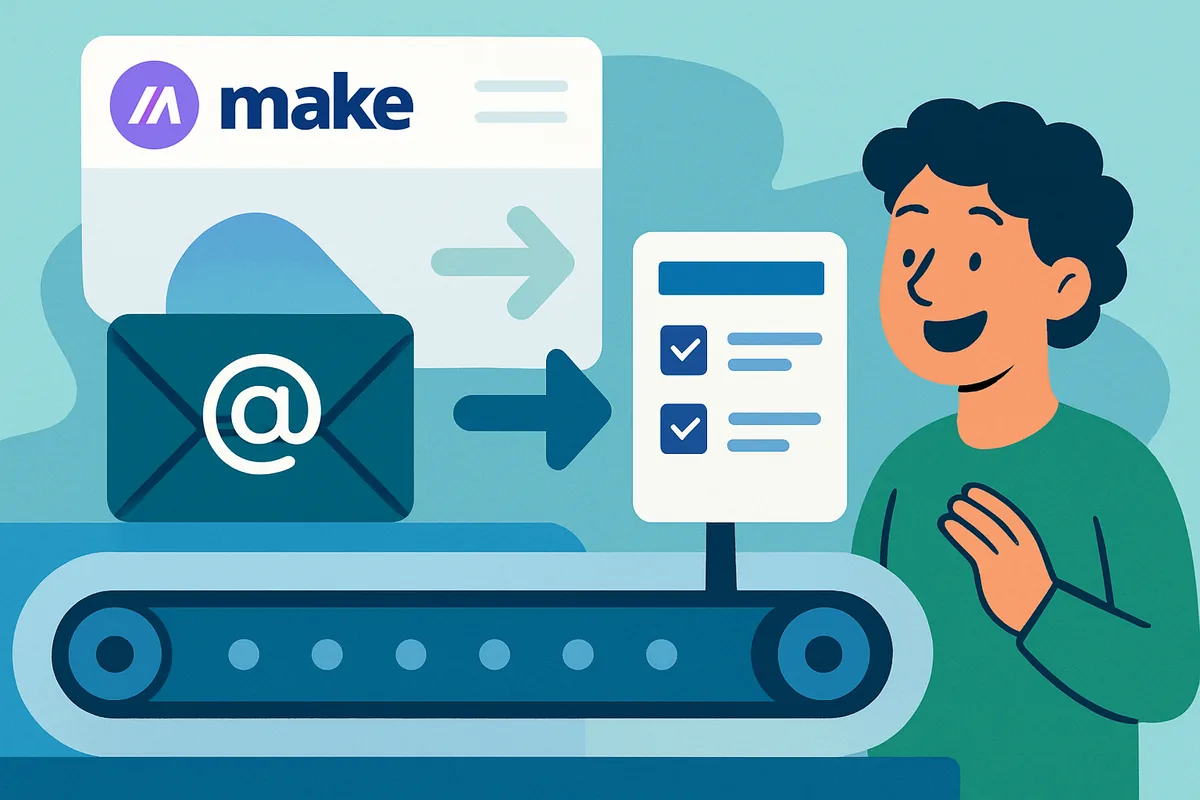
Use Make.com to create a scenario with an email trigger (watching a specific inbox or label) connected to a Trello "create card" module. Add a filter so only emails matching certain criteria, like a subject keyword, create a card, then map the email content into the card fields.
Make.com is a no-code platform for connecting apps so they pass data to each other automatically. People use it to turn emails into tasks, schedule social posts, handle invoices, generate report digests, and capture leads, all without writing code.
Make.com works entirely in your browser, so there is no desktop app required to build scenarios. Some integrations may involve installing a connector or granting account access to the specific apps you want to automate, but the platform itself is web-based.
No. The core concepts, a trigger, a module, and a filter, are straightforward once you see one example. Most beginners can build a working scenario, like turning an email into a task, within their first sitting using a visual builder like Make.com.
Make.com suits most beginners well thanks to its visual builder and generous free tier. Zapier offers an even simpler linear setup but a more limited free tier. n8n is a technical, open-source option better suited to people comfortable with self-hosting.
Start with something simple and low-stakes, like turning emails into tasks or scheduling social posts. Avoid automating anything involving payments or direct customer communication until you are comfortable with how triggers, modules, and filters behave.
Learn how to set up automatic Slack and Discord notifications with Make.com using webhooks and app connections, plus tips for keeping alerts useful, not noisy.
September 23, 2026
A beginner's guide to installing WordPress on a VPS with Docker, plus an honest note on when managed shared hosting is simply the easier, better choice.
September 21, 2026
A fair, honest comparison of Make.com, Zapier, and n8n for beginners covering visual builder depth, pricing model shape, self-hosting, and which to choose.
September 14, 2026
Learn how to automate Google Drive file organization with Make.com: watch a folder, route files by type or name, rename them, and sort by month automatically.
September 4, 2026
A beginner's guide to hosting several websites on one VPS: how a reverse proxy routes by domain, Docker containers per site, and when one VPS is enough.
September 2, 2026
Make.com data stores explained simply for beginners: what they are, when a scenario truly needs memory, and how to use them for simple deduplication tasks.
August 19, 2026
Learn how to schedule Make.com scenarios to run on a timer, choose the right trigger type, avoid timezone mistakes, and manage operations on the free plan.
August 7, 2026
A beginner's guide to backing up a VPS properly: snapshots vs file backups, what to include, a simple rsync and tar approach, and why testing restores matters.
August 5, 2026
A calm, step-by-step guide to fixing broken Make.com scenarios: read the error, spot the red module, and apply the right fix without panic or guesswork.
August 3, 2026
Add an AI step to any Make.com scenario to summarize, categorize, draft, or extract text. A plain-language guide for beginners, no coding background needed.
July 31, 2026
Five practical Make.com automations for busy side hustlers: lead capture, invoice filing, review requests, social posting, and a weekly numbers digest.
July 28, 2026
Five genuinely useful things beginners can self-host on one small VPS: an automation tool, a website, an uptime monitor, a notes app, and a link shortener.
July 26, 2026
Webhooks let apps notify Make.com the instant something happens, no waiting around. A plain-language guide with a simple form submission example inside.
July 25, 2026
Sort email automatically, get a daily digest, and let AI draft replies you approve. Practical Make.com inbox automations with honest safety guardrails.
July 22, 2026
Filters decide whether your automation continues. Routers split it into paths. Learn both through everyday analogies and a worked support email example.
July 19, 2026
A calm, practical VPS security checklist for beginners: SSH keys, updates, firewalls, backups, and the simple habits that prevent almost all real problems.
July 17, 2026
Turn a Google Sheet into a content calendar and let Make.com post to social media on schedule. A beginner-friendly walkthrough with honest expectations.
July 16, 2026
Docker explained with everyday analogies: what containers are, why self-hosted tools ship as Docker images, and why beginners meet Docker on their first VPS.
July 14, 2026
Learn what an operation is in Make.com, why some scenarios burn through more than others, and the simple habits that stretch a free plan much further.
July 13, 2026
A plain-English guide to self-hosting n8n on a VPS: what it is, how it compares to Make.com, what setup involves, and whether it is right for you as a beginner.
July 11, 2026
A beginner-friendly guide to automating your content workflow with Make.com and AI: drafting, repurposing, scheduling, and staying organized as a creator.
July 9, 2026
A beginner-friendly guide to connecting Google Sheets to almost any app with Make.com: form responses, email or chat alerts, and using a sheet as a trigger.
July 7, 2026
Seven beginner-friendly Make.com automations that save real time: which to build first, what each one does, and how to start without any coding at all.
July 5, 2026
A beginner's guide to hosting your own AI tools and automations on a cheap VPS: what a VPS is, when you actually need one, and how to get started safely.
July 5, 2026
A quick 5-step guide to turning email into Trello tasks automatically with Make.com, plus how to adapt the same automation flow for Asana or Todoist instead.
July 3, 2025
Make.com explained for complete beginners: how the no-code automation platform works, what scenarios and modules are, and how to build your first workflow.
July 3, 2025
Automate PDF creation and distribution with AI and Make.com in this beginner's guide covering content generation, email delivery, invoices, and OCR tools.
May 31, 2025
Build a simple voice assistant with the OpenAI API and Python, or without writing any code using Make.com, in this beginner-friendly 2026 automation guide.
May 30, 2025
Automate AI-powered reports with Make.com in this beginner's guide covering data sources, AI summarization, prompt writing, formatting, and scheduling.
May 28, 2025
Build your own AI chatbot with Make.com and GPT using this beginner's guide covering webhooks, prompt writing, conversation memory, and messaging apps.
May 26, 2025
Five practical Make.com automation hacks for total beginners in 2026: lead capture, social scheduling, email triage, content curation, and AI drafting.
May 18, 2025
Build your first Make.com automation with this step-by-step guide to turning incoming emails into Trello cards, including filters and error handling tips.
May 18, 2025
Essential AI skills for the 40+ workforce in 2026: AI literacy, prompt engineering, and no-code automation tools that build on real work experience today.
May 16, 2025

























![Your First Make.com Automation: Turn Emails into Trello Cards [Step-by-Step Guide]](/content/images/2026/07/your-first-make-com-automation-turn-emails-into-trello-cards-step-by-step-guide.webp)